

Publish Date: January 8, 2026
How to run Google Ads for real estate leads starts with understanding one simple fact: Google controls roughly 90% of the search market, a level of search engine market concentration documented in recent research, making it the primary place where buyers and sellers begin their property journey today. Google Search and its network of partner sites remain the top channel for real estate lead generation in 2026, and agents who master the platform consistently out-produce those relying on referrals and social media alone.
Set up your Google Ads account using your existing Google account, or create a new one, and choose “Leads” as your campaign objective.
Create Search campaigns targeting high-intent keywords like “sell my house fast.”
Use geo-targeting to focus on your service areas with radius or ZIP code targeting.
Write strong ad copy with clear calls-to-action and benefit-focused headlines.
Build matching landing pages that deliver on your ad promises.
Set up conversion tracking to measure form fills and phone calls.
Start with a minimum budget of $500/month for consistent visibility.
Monitor and refine using negative keywords and bid adjustments.
Run A/B tests on different ad copies and calls-to-action to identify what connects best with your audience and improves performance.
Your first Google Ads campaign starts with establishing your account, setting clear campaign goals, and configuring everything correctly from day one.
The numbers tell the story. In 2026, real estate Google Ads average a $3.06 cost-per-click with a 3.9% click-through rate and a typical return of $7 to $9 for every $1 spent. With 97% of homebuyers starting their search online, being visible at the exact moment they’re ready to buy or sell gives you a significant competitive advantage over agents still relying on yard signs and cold calls.
Unlike social platforms where you’re interrupting people scrolling through content, Google Ads puts you in front of people actively searching for real estate answers. When someone types “homes for sale near me” or “cash home buyers,” they’re not browsing, they’re ready to act. Google Ads offers targeted, immediate, and cost-effective advertising for real estate professionals, helping you reach motivated leads at the exact moment they’re looking.
I’m Preston Guyton, and over my 20+ years in real estate, I’ve helped teams generate millions in commissions through strategic digital marketing, including mastering how to run Google Ads for real estate leads through my companies Digital Maverick and ez Home Search.
The reach advantage is hard to match. With well over 90% of search traffic flowing through sites connected to Google’s ad network (including Google.com itself), you’re fishing where nearly all the fish are. But volume alone isn’t the point, it’s intent. When someone searches “sell my house fast” or “homes for sale in [your city],” they’re not casually browsing. They’re ready to make decisions.
The intent-driven traffic Google delivers converts at rates other marketing channels can’t touch. While Facebook ads might build awareness among people thinking about moving someday, a targeted Google ad can be built around a specific real estate goal, whether it’s buyer-focused, cash-buyer, agent branding, seller-focused, or new construction, and it will reach people who are actively looking today.
Local dominance becomes realistic once you understand that real estate is inherently local. Google’s geo-targeting tools let you own your market without wasting budget on clicks from three states away. You can target by ZIP code, radius around your office, or exclude specific areas entirely. Google Maps and Google Business Profile map ads add another layer of local visibility, helping your business show up in local searches and on Maps with ratings, reviews, and business details visible to nearby clients. For local service ads, the Google Screened badge acts as a trust signal that shows potential clients your business is verified.
Key Takeaways

Google Ads capture existing demand instead of creating it, which is why real estate lead generation on the platform outperforms most social advertising.
The average real estate Google Ads campaign now runs a $3.06 CPC, a 3.9% CTR, and roughly $7 to $9 back for every $1 spent.
Search Ads remain the top producer of bottom-funnel leads; Display, YouTube, and Local Services Ads support that engine rather than replace it.
Local Services Ads run on a pay-per-lead model and pair well with pay-per-click Search campaigns rather than competing against them.
Landing pages matching your exact ad promise are the single biggest lever for improving conversion rates and Quality Score.
Contacting a lead within 5 minutes can raise conversion rates by up to 900%, making CRM automation and speed-to-lead systems non-negotiable.
A starting budget of $400 to $500/month, paired with tight keyword targeting and full conversion tracking, is the right way to launch a new campaign.
Platforms like ez Home Search combine Google Ads expertise with county exclusivity, so agents aren’t bidding against each other for the same contact.
How to Run Google Ads for Real Estate Leads: Step-by-Step Playbook
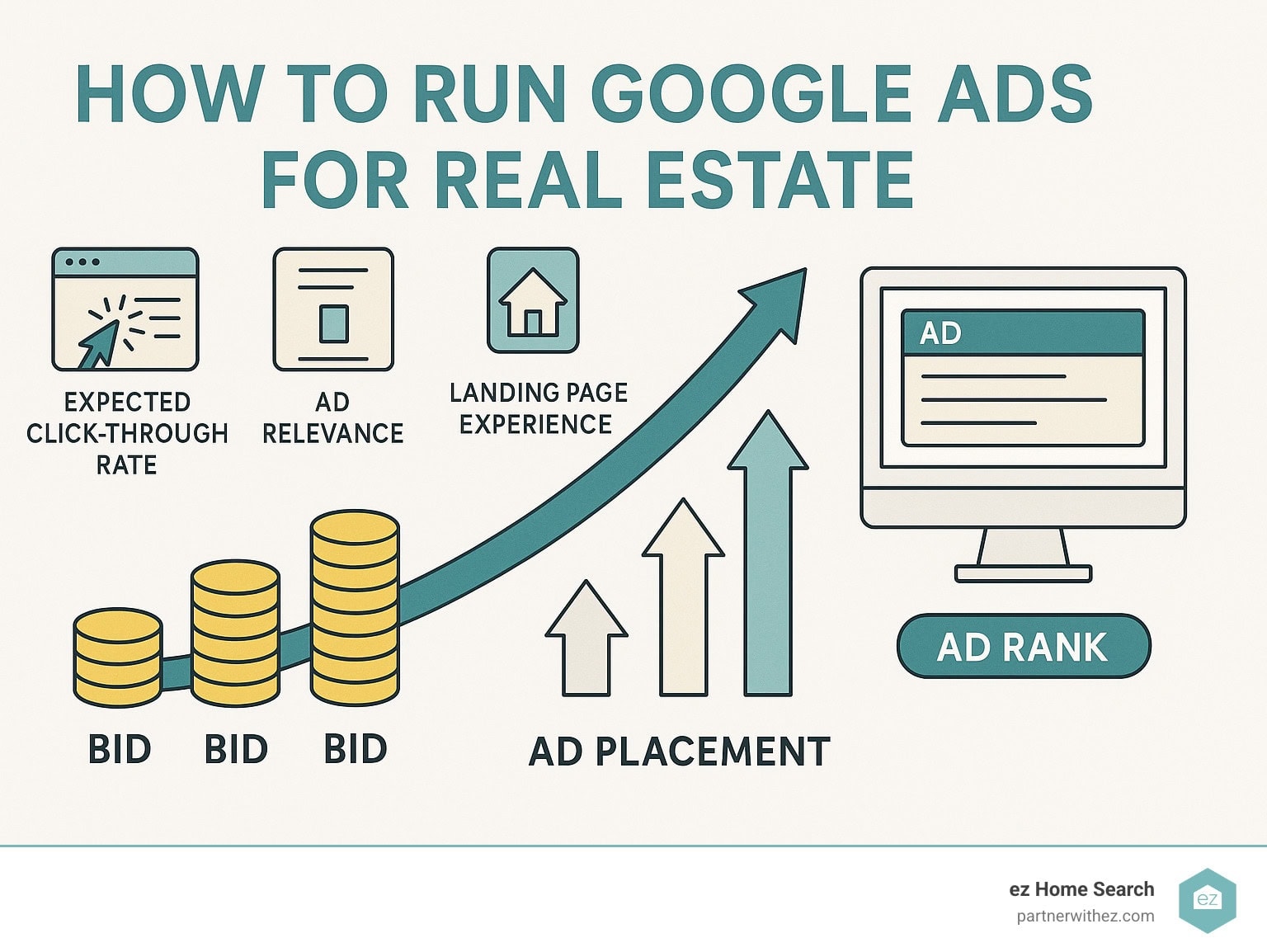
This step-by-step guide will help you build effective real estate campaigns using Google Ads. Understanding how Google Ads works matters here: ads are placed through an auction system where your bid, ad quality, and relevance determine placement, a dynamic examined in a recent field experiment on search market power. This system is built to reward the most relevant, high-quality ads with the best search real estate.
| Campaign Type | Best For | Average CPC (2026) | Conversion Rate |
|---|---|---|---|
| Search | Bottom-funnel leads | $3.06 | 2.9% |
| Display | Retargeting visitors | $1.78 | 1.4% |
| Video (YouTube) | Brand building | $0.92 | 1.1% |
| Local Services | Trust building | Pay per lead | 6–18% |
Search campaigns should be your bread and butter when starting out. These ads appear when people type real estate queries directly into Google, putting your business in front of prospects at the exact moment they’re ready to buy or sell. Focus on keywords with strong buyer or seller intent rather than broad terms with high volume but weak conversion history.
Display campaigns work well for staying in front of people who visited your website but didn’t convert the first time. Think of them as your digital follow-up system.
Video ads on YouTube have become close to essential for real estate campaigns. They let you showcase properties through virtual tours, highlight neighborhoods, and provide immersive content that helps buyers picture themselves in a listing before they ever call you. Video ads engage viewers more effectively than static text and help set you apart from competitors running the same generic Search ads.
Local Services Ads deserve their own strategy based on research from Google showing their effectiveness for local service providers. These ads appear at the top of search results with Google’s trust badge, and you only pay when a prospect actually contacts you, which flips the standard pay-per-click model on its head.
Setting Up Your Account the Right Way
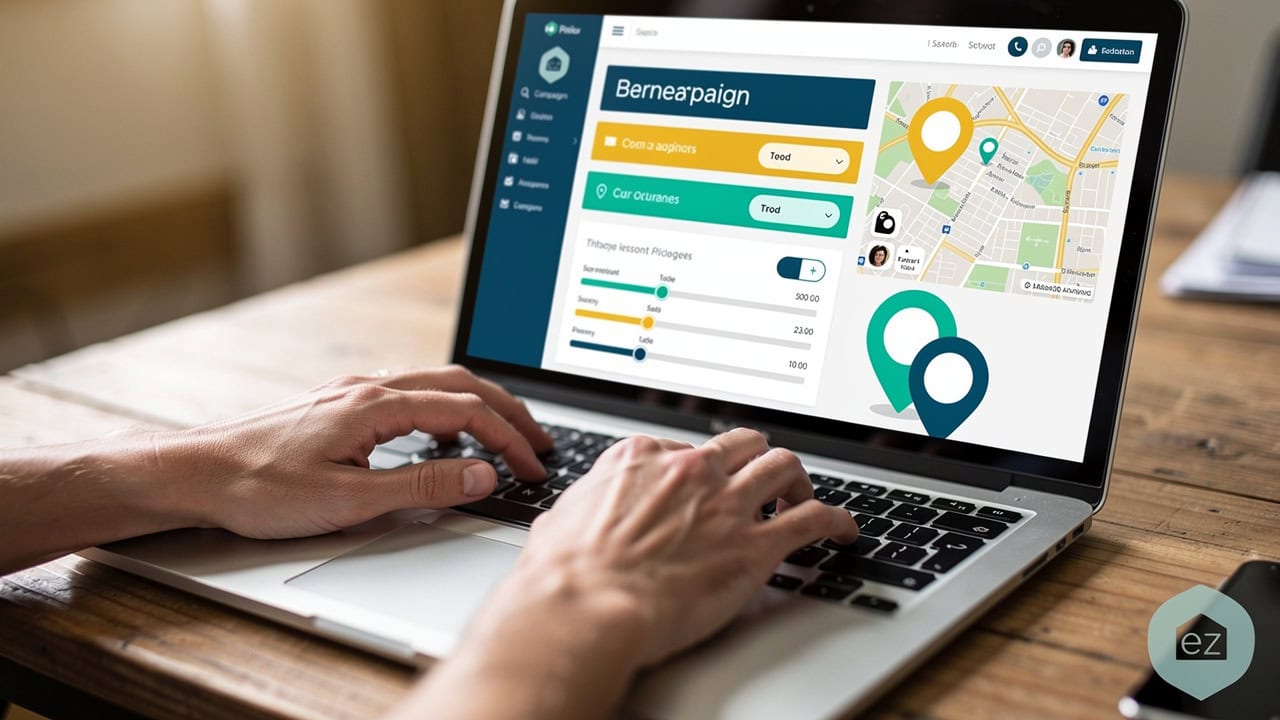
Head to ads.google.com and create your account using a dedicated business email address. The billing setup requires a valid payment method, but Google only charges when people actually click your ads. From the start, manage your ad budget carefully with negative keywords that filter out irrelevant searches so you don’t waste spend. Set up conversion tracking from day one so you’re collecting data from your very first lead instead of guessing.
Keyword Planner becomes your research headquarters. This free tool shows search volumes, competition levels, and suggested bid ranges for any keyword in your market. Calling out what sets you apart, such as years of experience or exclusive listings, in your ad copy can strengthen click-through rates and attract more qualified leads.
The manual vs. smart bidding decision affects both your control and your results. Manual bidding lets you set exact maximum bids for each keyword. Smart bidding uses Google’s machine learning to adjust bids automatically toward your conversion goals. Most successful real estate advertisers start with manual bidding to learn their market, then test smart bidding once they’ve collected solid conversion data.
Quality Score and Ad Rank determine where your ads appear and what you actually pay. Google calculates Quality Score from your expected click-through rate, ad relevance, and landing page experience. A higher Quality Score improves your ad position and lowers your costs at the same time, which is why it’s worth fixing before you scale spend.
If you want to see this process in action, a video walkthrough can save you hours of trial and error. Watch this step-by-step tutorial covering account creation, campaign structure, and billing setup for a real estate Google Ads account:
This Google Ads setup tutorial for beginners walks through account creation, campaign structure, and billing setup step by step, which pairs well with the checklist above. It’s worth watching before you spend your first dollar, since fixing a structural mistake after launch usually costs more than getting it right from the start.
Crafting High-Intent Campaigns & Keywords

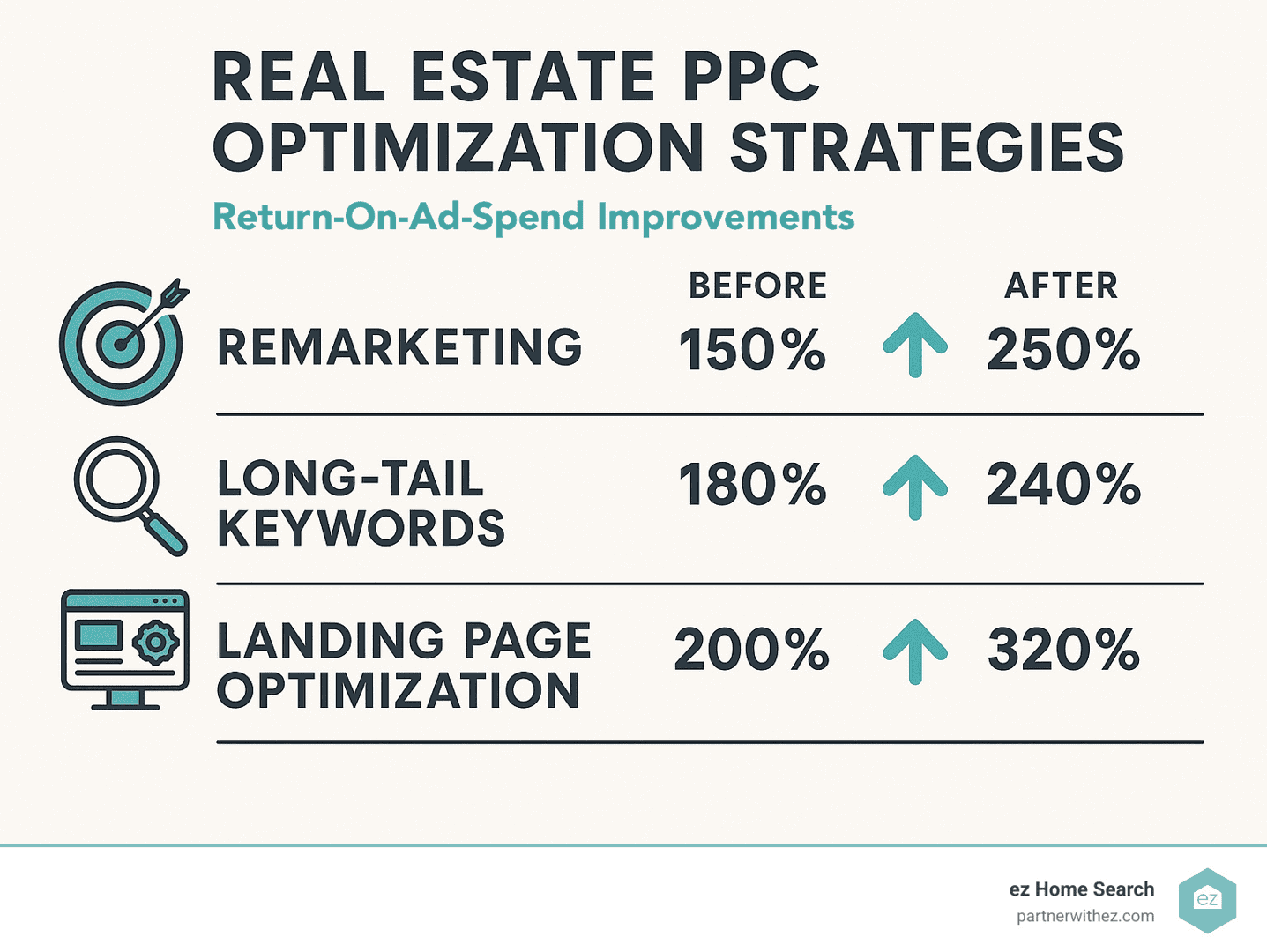
Long-tail phrases consistently outperform broad keywords because they capture specific intent (or, more precisely, they reflect it). Instead of competing for expensive terms like “real estate agent,” target phrases like “sell my house fast” or “cash home buyers in [your city].” Google Ads help real estate agents reach people actively searching for these specific services rather than casually browsing, and research on digital advertising’s influence in the construction and real estate sector shows targeted campaigns measurably shift consumer decisions. Use Google Keyword Planner to find relevant keywords with meaningful search volume, and prioritize match to intent over raw traffic numbers.
Understanding match types stops budget waste on irrelevant clicks. Broad match shows your ads for related searches and can trigger on queries with similar meaning to your keywords, but it can also surface surprisingly unrelated searches. Phrase match requires your exact phrase to appear in the search query. Exact match triggers only for your specific keyword and close variants. Review the Search Terms report regularly to refine your keyword list and find new opportunities to target high-intent searches more precisely.
Life-event targeting adds precision by identifying users going through major changes like marriage, divorce, or job relocation, since these events often trigger real estate decisions. Layering in online behavior signals refines your audience further, letting you reach people whose digital activity suggests they’re likely to move soon.
Tools like SpyFu reveal your competitors’ keyword strategies and ad spend, helping you spot gaps in their coverage or opportunities to outbid them cost-effectively.
Negative keyword lists protect your budget from irrelevant clicks. Add terms like “jobs,” “rental,” “apartment,” and “cheap” to keep from attracting people who aren’t potential buyers or sellers.
Targeting Strategies for Real Estate Ads in the Real Estate Market
Effective targeting is the backbone of successful real estate ads in a competitive real estate market. Google Ads lets real estate agents reach people who are actively searching for real estate services, so your message shows up at the right moment instead of getting lost in the feed. One of the strongest features of Google Ads campaigns is location targeting, which lets you zero in on specific neighborhoods, cities, or custom-drawn areas where your ideal clients are looking to buy or sell. Before launching any campaigns, building a high-converting website with clear messaging, trust signals, and simple lead forms is a prerequisite for getting real results.
Demographic targeting refines your audience further by letting you adjust your ads based on age, household income, and life stage, helping you connect with buyers and sellers most likely to need your help. You might target higher-income brackets for luxury listings or focus on first-time buyers in growing suburbs. To improve your Quality Score, keep your ad copy, keywords, and landing pages tightly aligned and update them regularly.
Remarketing ads are another key tool in your Google Ads toolkit. These ads re-engage people who visited your website but haven’t taken action yet, keeping your services top of mind as they continue their property search. Combined, these targeting strategies help real estate agents generate high-quality leads, get more out of every dollar spent, and keep Google Ads campaigns consistently reaching the most motivated prospects in the market.
Using Ad Groups to Organize Google Ads Campaigns
Ad groups are the organizational backbone of any effective Google Ads campaign, especially for real estate agents trying to maximize ad relevance and lead generation. By grouping related keywords and ads under a specific theme or audience, agents can make sure each ad speaks directly to the needs of the people searching for it.
For example, a real estate agent might build separate ad groups for “homes for sale,” “condos for rent,” and “luxury properties.” Each ad group would contain relevant keywords and matching ad copy for that specific audience. This structure makes your campaigns easier to manage and improves ad relevance, which raises your Quality Score and increases the odds that your ads appear in top search positions.
Ad extensions, like sitelinks and callouts, can be added at the ad group level to give searchers more information and encourage more clicks. Sitelinks might point to pages like “Free Home Valuation” or “Browse New Listings,” while callouts can highlight what sets you apart, like “No Hidden Fees” or “Local Market Experts.” Using ad groups and extensions together helps real estate agents build more targeted, effective ads that connect with the right audience and produce more high-quality leads.
Budgeting and Bidding Strategies for PPC Advertising
Smart budgeting and bidding are essential for real estate agents who want to get the most out of PPC advertising with Google Ads. Since Google Ads runs on a pay-per-click model, advertisers bid on specific keywords and only pay when someone clicks. To control costs and produce consistent results, set a daily or monthly budget that matches your business goals and reflects how competitive your local market actually is.
Start with thorough keyword research to identify the most relevant, highest-performing keywords for your business. Set competitive bids on those keywords so your ads show up in the right search results without overspending. You can choose bidding strategies like cost-per-click (CPC) to control ad spend directly, or cost-per-acquisition (CPA) to focus on generating high-quality leads at a set cost per conversion.
Don’t skip negative keywords to filter out irrelevant searches; excluding terms like “jobs,” “apartments,” or “cheap” keeps your ads in front of people genuinely interested in your services. Reviewing your bidding strategy regularly and adjusting your budget based on performance helps real estate agents improve ad relevance and generate more high-quality leads while keeping spend in check.
Responsive search ads let you provide multiple headlines and descriptions, then Google tests combinations to find what performs best with your audience. Write headlines that include your target keywords while focusing on benefits rather than features.
A strong call to action is essential for prompting immediate action and improving conversions. Use specific phrases like “Get Your Free Home Valuation,” “Schedule Your Property Tour,” or “Request Your Cash Offer Today.”
Sitelinks and callouts
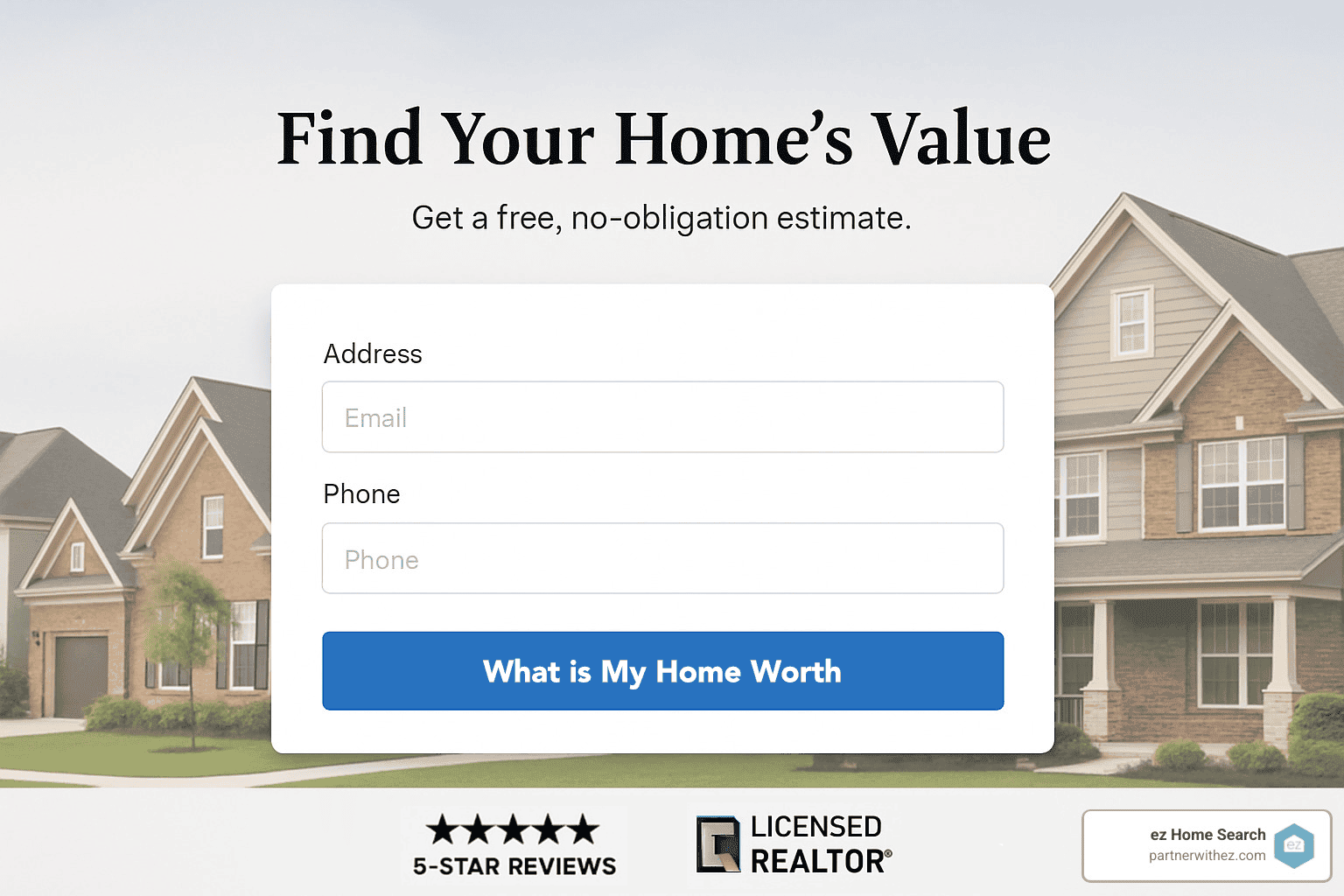
Landing page consistency directly affects both Quality Score and conversion rates. If your ad promises a “Free Home Valuation,” your landing page has to deliver exactly that, not a generic contact form. Building dedicated landing pages for offers like free home valuations keeps the experience smooth and relevant for visitors. Adding trust signals like professional photos and client testimonials can build trust further and encourage more conversions.
Mobile speed can make or break your campaigns, especially with roughly 90% of home shoppers using mobile devices during their search. Pages that load in under 3 seconds convert noticeably better than slower alternatives.
Home valuation forms consistently produce strong conversion rates because they offer immediate value while collecting lead information. These forms are effective at generating new leads and can help you win more listings by engaging homeowners who are curious about selling. They give prospects something useful right away while positioning you as the local expert.
2026 Cost-Per-Lead Benchmarks by Campaign Type
Cost-per-click tells you what you’re paying for attention. Cost-per-lead tells you what you’re actually paying for a prospect willing to hand over their contact information, which is the number that matters most when you’re building a pipeline. Here’s how the major campaign types compare in 2026, along with realistic timelines for recovering your ad spend through closed business.
| Campaign Type | Avg. Cost Per Lead | Typical ROI | Pipeline Recovery Timeline |
|---|---|---|---|
| Search Ads | $45–$85 | 6:1 to 10:1 | 30–60 days |
| Local Services Ads | $25–$60 (pay-per-lead) | 8:1 to 14:1 | 14–30 days |
| Display (Retargeting) | $18–$35 | 4:1 to 6:1 | 60–90 days |
| YouTube / Performance Max | $30–$70 | 5:1 to 8:1 | 45–90 days |
A few patterns stand out:
Local Services Ads consistently produce the lowest cost per lead and the fastest pipeline recovery because you’re only charged for leads who actually reach out, not for browsers who click and bounce.
Search Ads cost more per lead but deliver the highest volume of bottom-funnel prospects, which is why they still anchor most real estate accounts.
Display and Performance Max campaigns take longer to pay back because they’re built for re-engagement and brand familiarity rather than immediate conversion, so don’t judge them by the same 30-day yardstick you’d use for Search.
“Pipeline recovery timeline” refers to how long it typically takes for closed transactions tied to a given lead source to cover the ad spend that generated them. Search and Local Services Ads recover faster because they capture people closer to a decision. Display and video campaigns take longer because they’re nurturing leads who are still months from acting, but those leads often convert at a higher rate once they do.
Local Services Ads vs Search Ads: Pay-Per-Lead vs Pay-Per-Click
One of the most common questions from agents building their first campaigns is whether to run Local Services Ads (LSAs), traditional Search Ads, or both. The honest answer: most successful accounts run both, because they solve different problems.
| Factor | Search Ads (PPC) | Local Services Ads (Pay-Per-Lead) |
|---|---|---|
| Payment model | Pay per click, regardless of whether the click converts | Pay only when a verified lead contacts you |
| Trust signal | None built-in; relies on your ad copy and reviews | Google Screened badge displayed directly on the ad |
| Placement | Below LSAs, above organic results | Top of the search results page |
| Control | Full control over keywords, bids, and ad copy | Limited control; Google matches you to relevant searches |
| Setup complexity | Moderate to high; requires ongoing management | Lower; Google handles much of the matching automatically |
| Best for | Scaling volume, testing new markets, precise keyword targeting | Building trust quickly, lower-risk entry into paid leads |
Search Ads give you control. You choose the keywords, write the copy, and decide exactly where your budget goes, but you pay for every click whether it turns into a lead or not. LSAs flip that risk profile: you only pay for leads who actually reach out, and the Google Screened badge gives you a built-in credibility boost that a plain text ad can’t match. The tradeoff is control. Google decides which searches trigger your LSA, and you can’t fine-tune keyword targeting the way you can with Search.
Choosing between the two often comes down to your risk tolerance and stage of growth:
Choose Search Ads first if you want full control over keyword targeting, have the bandwidth to manage ongoing optimization, and want to scale volume quickly across multiple markets.
Choose Local Services Ads first if you’re newer to paid advertising, want a lower-risk entry point, or need the built-in Google Screened trust badge to compete against more established agents.
Run both together if you want Search Ads driving controlled, scalable volume while LSAs pick up lower-risk, pay-per-lead prospects who respond to the trust badge.
Availability also matters. Local Services Ads for real estate aren’t live in every market, so verify eligibility in your specific area before building a strategy around them. Where they’re available, the smartest approach is layering LSAs on top of an existing Search campaign rather than replacing it, giving you a lower-risk lead source running alongside your primary, more controllable channel. Treat LSAs as a supplement to a full Google Ads system, not a standalone strategy.
Improving, Scaling & Avoiding Pitfalls

Your Google Ads campaigns need constant attention to stay profitable. Think of it like tuning a guitar: small adjustments make a noticeable difference in performance. These steps are essential for running a real estate campaign that actually improves over time instead of stalling out.
Bid strategies should evolve as your campaigns mature. Start with “Maximize Clicks” to gather data about what works in your market. Once you have at least 30 conversions over 30 days, switch to “Maximize Conversions” or “Target CPA” strategies.
Dayparting can meaningfully improve your return on ad spend. Real estate searches peak during evenings and weekends when people have time to browse properties. Raise your bids 20-30% during these high-intent windows.
Audience segments add another layer of precision to your targeting. Google’s “in-market” audiences identify people actively researching real estate purchases right now. You can also build custom audiences based on website behavior.
Remarketing campaigns re-engage visitors who didn’t convert the first time. Build separate audiences for different behaviors: people who viewed your home valuation page, visitors who browsed your “sell your house” content, and those who started but didn’t finish a form.
Review your ad performance regularly by tracking key metrics and watching how users interact with your ads and landing pages. This helps you spot what needs fixing and improve results over time instead of running blind.
Automation through CRM integration makes sure no lead falls through the cracks. When someone fills out your home valuation form, they should immediately enter a nurture sequence that keeps you top-of-mind while providing real value.
Lead follow-up practices can make or break your campaign’s success. Research on lead response time shows that contacting leads within 5 minutes can increase conversion rates by as much as 900% compared to waiting even an hour. Set up instant notifications and build a systematic follow-up process before you spend a single dollar on ads.
Measuring Success with Google Ads Campaigns
Tracking and measuring the success of your Google Ads campaigns matters for real estate agents who want steady lead generation and business growth. Google Ads provides metrics like click-through rate (CTR), conversion rate, and cost per click (CPC) that show how your ads are actually performing, and understanding CTR benchmarks and definitions helps you interpret whether your numbers are actually competitive. Watching these metrics helps you spot what’s working and where you need to make changes. Regularly checking metrics like CTR and cost per lead (CPL) keeps your campaigns efficient over time instead of quietly drifting off track.
A high click-through rate shows your ad copy and targeting connect with your audience, while a strong conversion rate shows your landing pages are effectively turning visitors into leads. If you notice a low CTR or high CPC, it may be time to rework your ad copy, adjust your targeting, or revisit your keyword strategy entirely.
Connecting Google Analytics to your Google Ads account adds deeper insight, letting you track website visits, lead generation, and other key metrics that matter to your business. Reviewing these numbers regularly and making changes based on the data helps real estate agents get the best possible results from their campaigns, attract more clients, and grow with more confidence in the numbers behind the strategy.
Once your campaigns are running smoothly, smart bidding strategies like Target CPA and Target ROAS use machine learning to adjust your bids in real time. These automated strategies often outperform manual bidding once you’ve collected enough conversion data.
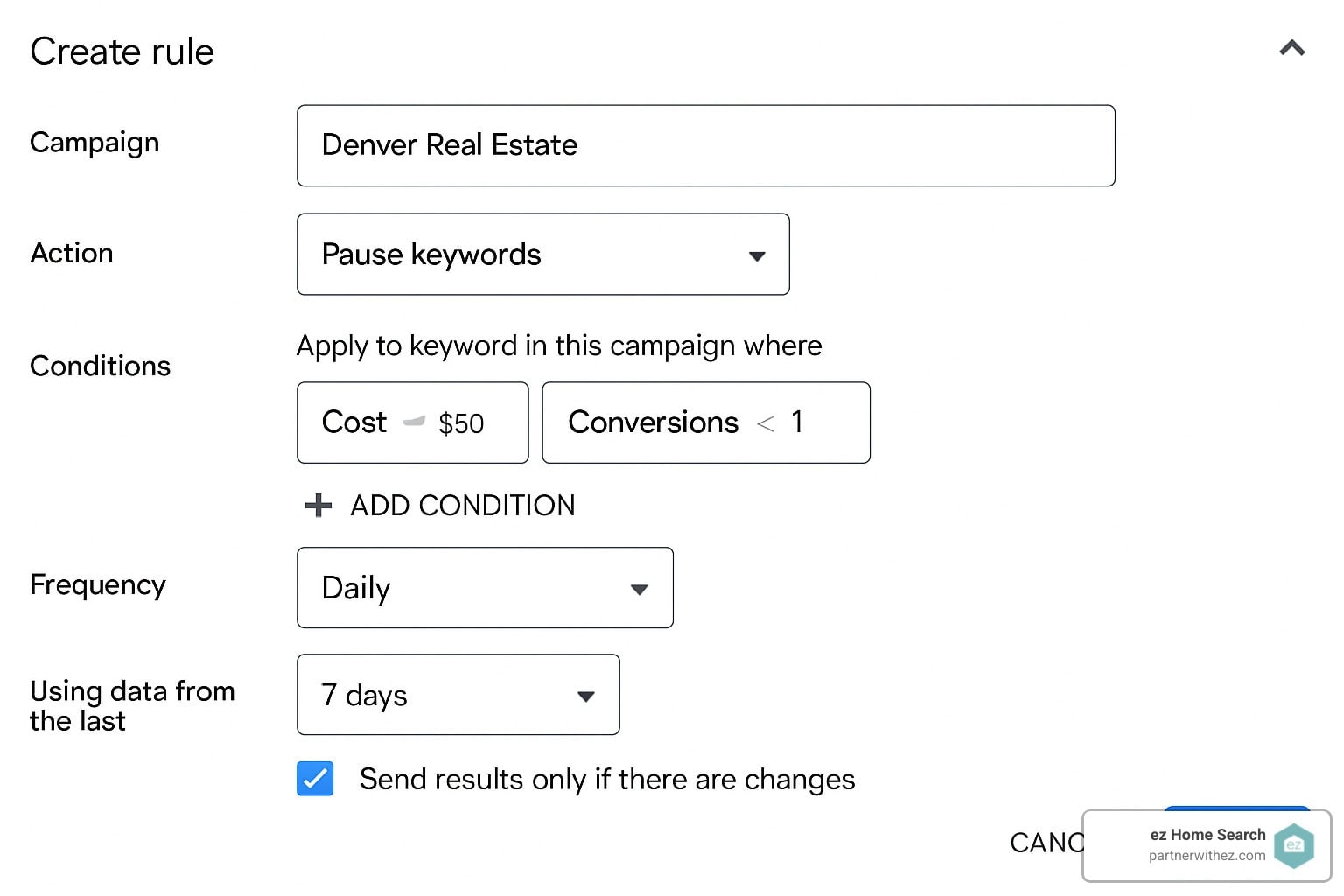
Rules and scripts automate routine adjustments so you can focus on strategy instead of daily maintenance. Set up rules to pause keywords with high costs and no conversions, raise bids on high-performing terms, or send alerts when your daily budget is being spent too quickly.
Retargeting lists get more sophisticated as you gather visitor data. Build separate lists for different behaviors; people who spent three minutes or more on your site should get different messaging than quick visitors who bounced immediately.
The key to good automation is starting with solid fundamentals. Automate the routine tasks, not the strategy decisions.
CRM Integration and the 5-Minute Lead Response Rule

Google Ads can produce a steady stream of leads, but the campaign itself only gets you halfway there. What happens in the first 5 minutes after someone submits a form determines whether that lead turns into an appointment or goes cold and calls a competitor instead.
The data behind this is stark: research on inbound lead response has repeatedly shown that contacting a lead within 5 minutes dramatically increases the odds of a live conversation compared to waiting even 10 or 30 minutes, and the gap widens the longer you wait. That’s why speed-to-lead has become its own discipline inside real estate marketing rather than an afterthought.
A working CRM and follow-up system for Google Ads leads typically includes:
Instant lead alerts, delivered by SMS and email the moment a form is submitted, not batched into an hourly digest.
Automated first-touch texts, sent within seconds through your CRM so the prospect hears from you before they’ve even closed the browser tab.
Round-robin or rules-based lead routing, so leads go to whichever agent is actually available rather than sitting in a shared inbox.
Drip email and SMS sequences that continue nurturing leads who aren’t ready to act immediately, often over weeks or months.
Missed-call text-back, which automatically texts a lead if a call goes unanswered, keeping the conversation alive instead of losing it entirely.
Popular CRM platforms real estate teams use to build this system include:
| Tool | Best Known For |
|---|---|
| Follow Up Boss | Speed-to-lead automation and agent accountability reporting |
| kvCORE | All-in-one IDX site plus built-in lead nurture campaigns |
| Lofty | AI-assisted lead scoring and behavioral triggers |
| Wise Agent | Budget-friendly automation for solo agents and small teams |
| HubSpot | Deep marketing automation for larger brokerages |
Many of these are often paired with Twilio-powered call and text tracking for granular attribution. The specific tool matters less than the discipline behind it: every lead needs an automated first touch within minutes, followed by a human follow-up within the hour, and a structured nurture sequence for everyone who doesn’t convert immediately.
Teams running Google Ads without this kind of system in place are effectively paying for leads they never properly contact. The ad spend is only as good as the follow-up behind it.
Common Mistakes to Avoid
Broad targeting wastes budget faster than almost anything else. Targeting entire states or relying only on broad match keywords generates plenty of clicks from unqualified prospects. Stay tightly focused on your actual service areas.
Ignoring negative keywords is like leaving money on the table. Review your search terms report regularly and add irrelevant queries as negatives. Common real estate negatives include “jobs,” “salary,” “news,” and “images.”
Weak landing pages kill conversions even when your ads are strong. Generic “Contact Us” pages underperform because they don’t deliver on your ad’s promise.
No conversion tracking means you’re flying blind. Set up tracking for form submissions, phone calls, and any other valuable action. Without this data, you can’t improve your campaigns or prove your ROI to anyone, including yourself.
Fair Housing compliance oversights can create serious legal problems. Avoid targeting or excluding based on protected characteristics like age, gender, family status, or income level.
Click fraud zones, particularly certain international locations, can drain budgets without producing real prospects. Use location exclusions to block countries known for fraudulent click activity.
Conclusion & Next Steps
Mastering how to run Google Ads for real estate leads gives you an edge in an increasingly digital market. The combination of Google’s reach, intent-driven traffic, and precise targeting options creates opportunities that simply didn’t exist a decade ago.
At ez Home Search, we’ve taken this idea further by combining Google Ads know-how with county exclusivity and privacy-first lead generation. Our platform delivers exclusive buyer, seller, and cash offer opportunities to real estate teams while removing the lead competition that plagues traditional lead generation.
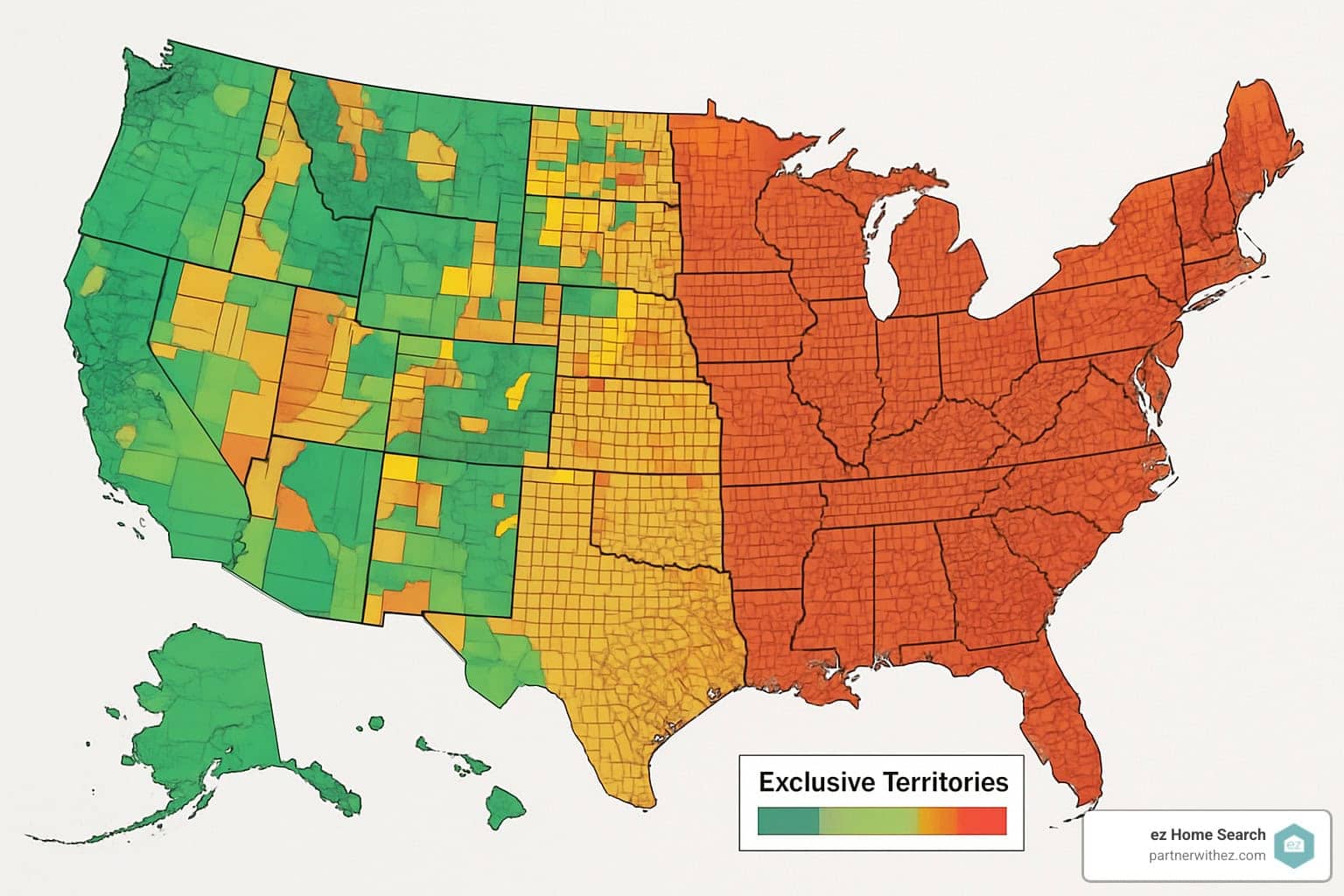
The platform combines high-conversion landing pages, real-time behavioral tracking, CRM-integrated nurture flows, and TCPA-compliant verification, all while giving you exclusive access to your territory. Whether you’re running your own Google Ads or looking for a done-for-you approach, the principles in this guide will help you generate more qualified leads at a lower cost per lead.
The real estate industry keeps shifting toward digital-first client acquisition, and agents who master Google Ads will keep pulling ahead of the competitors still stuck on referrals alone. Start with the fundamentals outlined here, test consistently, and scale what works.
Ready to take your lead generation to the next level with county exclusivity and privacy-first technology? Reach out to our team to see if your county is still available.
For agents looking to strengthen their current marketing with additional tools and resources, explore our ez Connect platform for real estate marketing support.
Frequently Asked Questions
How much should I budget each month for Google Ads real estate leads?
Most agents start with a modest daily budget, testing a small group of high-intent keywords before increasing spend. As a general benchmark, $400 to $500/month can produce 10 to 20 leads depending on whether the campaign targets buyers or sellers. The most common mistake at this stage is sending traffic to a generic homepage instead of a focused landing page that matches the ad’s exact promise.
How quickly can Google Ads for real estate leads produce results?
Clicks and initial leads can show up within days of launching a campaign, but overall performance typically improves over the first several weeks as targeting, bidding, ad messaging, and landing pages get refined based on real performance data.
Do real estate Google Ads work better on Search, YouTube, or Display?
Search Ads typically produce the most immediate, high-intent leads, while YouTube and Display advertising reinforce brand trust across multiple touchpoints during a prospect’s research process. The strongest campaigns generally combine more than one ad format rather than relying on Search alone.
Are Google Local Services Ads available for real estate agents?
Local Services Ads are available only in certain categories and geographic areas. While Google lists real estate services among its eligible business types, agents should verify local eligibility before building a lead generation strategy centered on this specific ad format.
What are the best keywords for real estate Google Ads?
The strongest keywords combine local intent, service intent, and a clear next step, like “real estate agent near me,” “sell my house in [city],” “home value estimate [city],” “buyer agent in [city],” and “listing agent in [neighborhood].” The best keywords aren’t necessarily the ones with the highest search volume; they’re the ones that most closely match your offer, your market, and your landing page.
What types of leads can Google Ads generate for real estate professionals?
Google Ads campaigns can be built to generate buyer leads, seller leads, pre-construction leads, and realtor-hiring leads, each requiring its own landing page, ad copy, and follow-up sequence tailored to that audience’s stage in the buying or selling process.
How fast should I respond to a Google Ads real estate lead?
Within 5 minutes, ideally. Studies on inbound lead response consistently show conversion rates drop sharply once response time stretches past that window, which is why automated first-touch texts and instant CRM alerts have become standard for any team running paid lead generation.
Meta Title: How to Run Google Ads for Real Estate Leads in 2026 (Full Guide)
Meta Description: Get real 2026 cost-per-lead benchmarks, a step-by-step Google Ads setup video, and proven CRM tactics to turn clicks into real estate leads faster.

Preston Guyton has spent 20+ years helping people find the right home—and helping them avoid the costly mistakes that often come from not knowing their options. As the founder of ez Home Search, he’s leading the charge to build a better way to discover real estate—one that puts your privacy first, delivers accurate information, and gives you the confidence to make informed decisions. Preston has assembled a powerhouse team—made up of the innovators behind many of the technologies people use every day—to build the tools and transparency that deliver on a single mission: A Better Way To Discover Real Estate.